
Network Access Reporter
See exactly what your network's Windows Firewall rules actually let in and out - one row per rule, with direction, action, profile, ports, and addresses, and the risky combinations flagged for you.
See exactly what your network's Windows Firewall rules actually let in and out - one row per rule, with direction, action, profile, ports, and addresses, and the risky combinations flagged for you.
Firewall rule sets grow for years and nobody remembers why half the rules exist. Network Access Reporter reads the real, live Windows Firewall rule set - local by default, one row per rule with direction, action, profile, protocol, ports, and addresses - and puts it in front of you in one unified list with 25 built-in queries: enabled/disabled and inbound/outbound filters, allow/block splits, profile filters (Domain/Private/Public), and - the reason this tool exists - risk-flagging queries that surface rules with an "Any" remote address, no program restriction, or the single scariest combination: a Public-profile, inbound, Allow rule with no address restriction at all. Build your own queries with custom filter conditions, export to CSV, Excel, HTML, XML, or the clipboard, and schedule any of it to run unattended.
The real app. Click to zoom in, hover the markers to see what each part does.
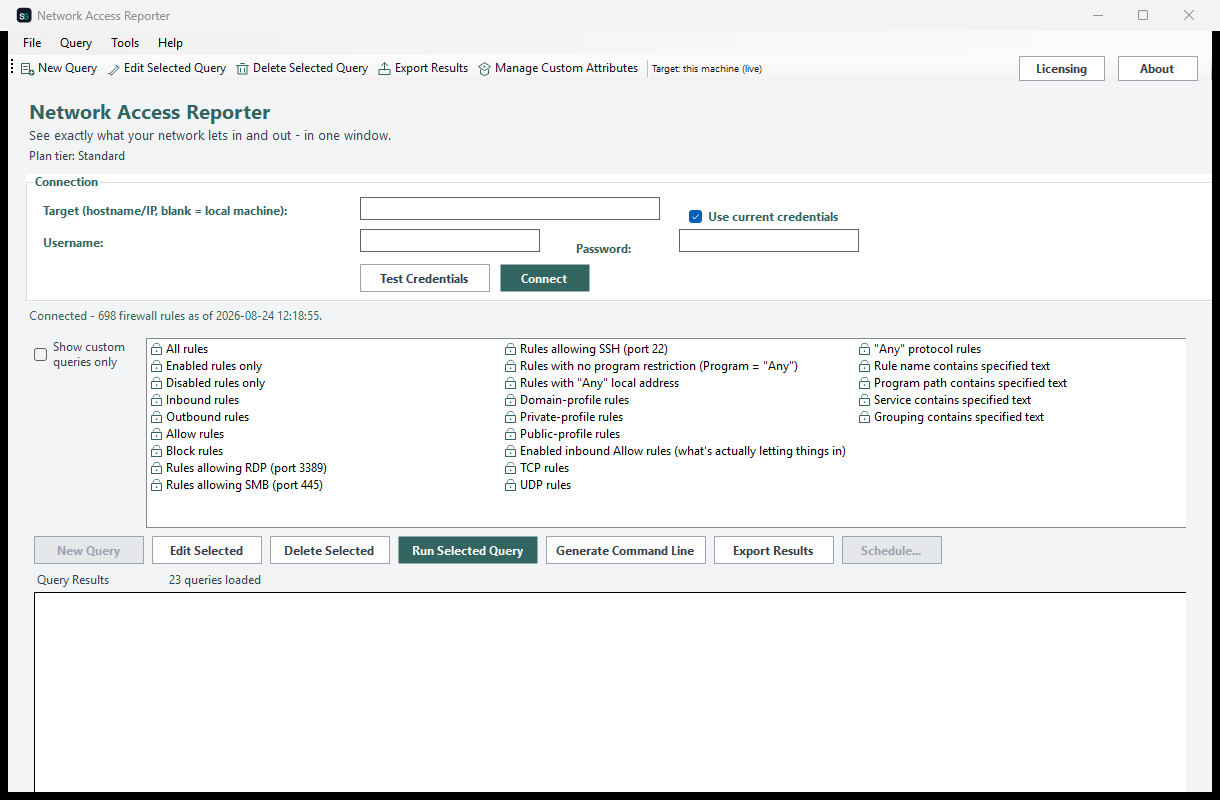
Hover a marker for details, or click the screenshot to zoom in.
Reads the live rule set via the same API Windows Firewall itself uses - not a config file guess - so every row reflects exactly what's actually enforced right now.
"Any" remote address, no program restriction, and the Public+Inbound+Allow+Any combination - the rules most likely to be a real exposure - are one click away, not something you have to remember to look for.
Enabled/disabled, inbound/outbound, allow/block, profile filters, protocol filters, and text searches - no separate tab per rule type, since every rule shares the same reportable shape.
Build your own query from filter conditions on any attribute, and register extra attributes under a friendly display name via Manage Custom Attributes.
CSV, Excel, HTML, XML, plain text, or straight to the clipboard - whatever your compliance or audit workflow needs.
Save any query as a recurring report via Windows Task Scheduler, with the result optionally emailed to you afterward - or drive it yourself with NetworkAccessReporter.exe --run-report ... and --run-query ....
Pick how much automation you need, then choose once-off or monthly billing. Network Access Reporter licenses per machine.
One-time payment - yours to keep, no subscription.
For a basic rule inventory.
The full firewall rule inventory, on screen, free at every tier.
For exposure visibility.
Everything in Standard, plus the risk-flagging queries and CSV/Text export.
For deeper investigation.
Everything in Standard+, plus custom queries and richer export formats.
For fully unattended audits.
Everything in Advanced, plus scheduled & emailed reports and a headless CLI.
Prices are shown in USD as the reference figure. Other currencies, including the ZAR amount PayFast actually charges, are converted using a live exchange rate.
Loading live exchange rates...
Standard covers the core of any firewall audit: the full rule inventory and the complete built-in query catalog - all on screen. No risk-flagging queries or export at this tier, by design.
Best for: Anyone who needs a fast answer to "what does this machine's firewall actually allow right now?"
Standard+ adds the risk-flagging queries (Any-remote-address, Public+Allow+Any) plus CSV/Text report export. Everything from Standard is included.
Best for: Day-to-day monitoring for accidentally-overpermissive rules.
Advanced adds custom queries with Manage Custom Attributes and Excel/HTML/XML/clipboard export. Everything from Standard+ is included.
Best for: Security teams building their own firewall-compliance reports.
Professional adds scheduled reports via Windows Task Scheduler with optional email delivery, and a headless CLI (NetworkAccessReporter.exe --run-report, --run-query, --run-custom-query). Everything from Advanced is included.
Best for: Organizations that want recurring firewall audits - and alerts on new risky rules - running themselves.
Prices shown are a suggested starting point, not final quotes - contact us to confirm your plan.
Contact us for current pricing and licensing options.
Contact us